Business automation services

Which jobs would you like off your team’s list?

Recording customer details. Following up quotes. Preparing paperwork. Getting messages to the right person.

We build automation that handles the routine steps, so owners and teams spend less time keeping everything moving by hand.

You don’t need to know what can be automated. Start with a job that takes too long, gets repeated or depends on someone remembering.

No technical knowledge needed. No obligation.

01 / Customer enquiries and follow-ups

Keep track of the enquiry without doing all the chasing.

When enquiries arrive through your website and inbox, someone has to record the details, send a reply and make sure the next step happens.

We connect those routine jobs so your team can see who needs attention and spend more time helping the customer.

What we can automate:

  • Record new enquiries in your customer records.
  • Send an agreed acknowledgement.
  • Notify the right colleague and assign the next task.
  • Send appointment confirmations and reminders.
  • Follow up unanswered enquiries at agreed intervals.
  • Stop reminders when someone replies, books or opts out, as appropriate.

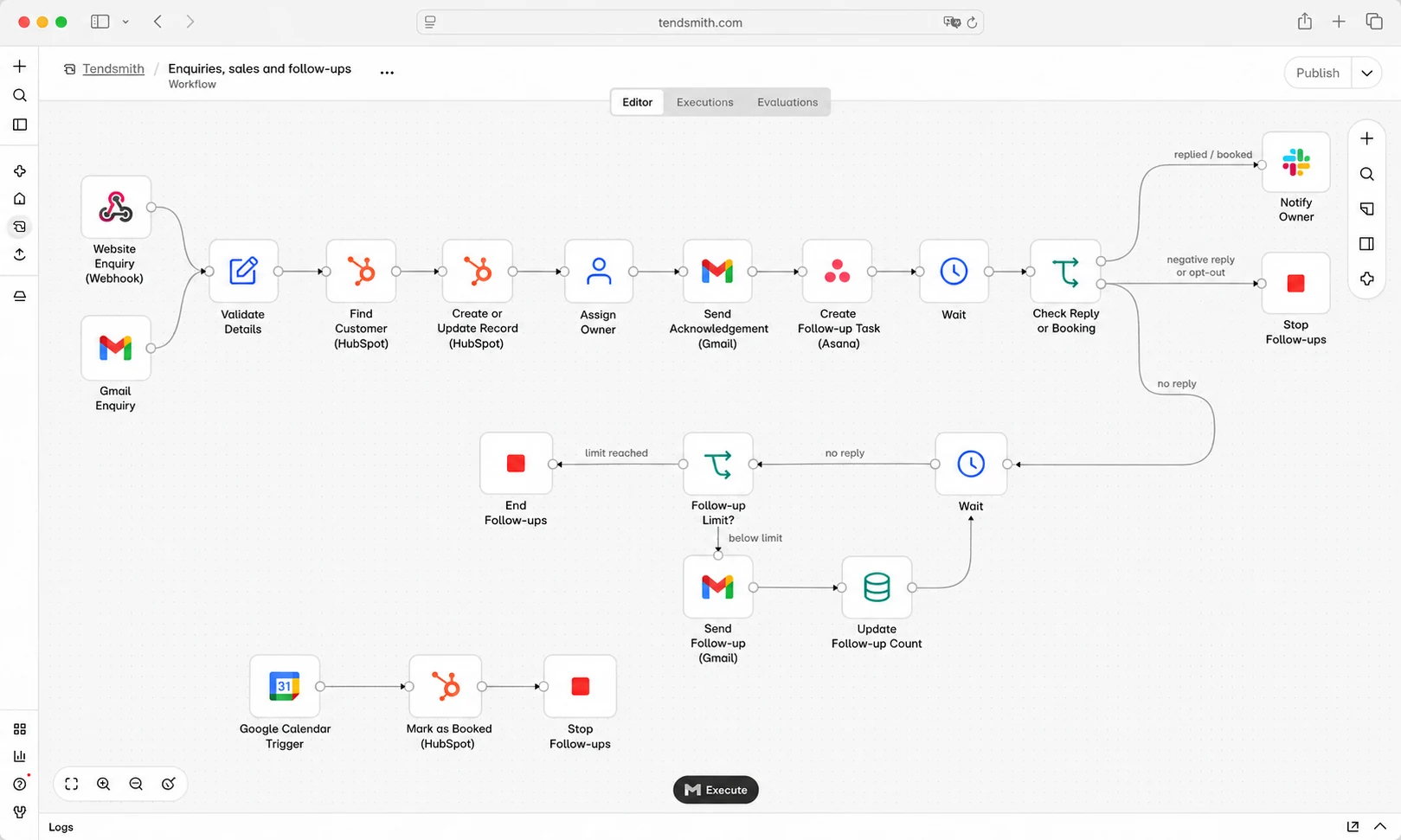
For example: A website enquiry is recorded, the customer receives an acknowledgement and the right colleague is notified. If a response is still needed, a reminder prompts the next step.

Follow-up limits, stopping points and any replies requiring approval are agreed before launch.

Discuss enquiries and follow-ups

Example workflow

  1. Enquiry received
  2. Customer record updated
  3. Follow-up arranged
  4. Reply or booking stops reminders
Illustrative customer enquiries and follow-ups workflow

Illustrative example. The steps and checks are agreed around your business.

02 / Customer records and everyday admin

Enter the details once. Put them where they’re needed.

A customer’s details shouldn’t need typing into a spreadsheet, a customer system and another document every time something changes.

We connect your tools so information can move between them, with checks for missing or conflicting details.

What we can automate:

  • Transfer customer details between connected tools.
  • Update agreed records when information changes.
  • Create tasks when a customer reaches the next stage.
  • Prepare routine documents from existing information.
  • Save approved files in the right place.
  • Notify colleagues when their part of the work is ready.

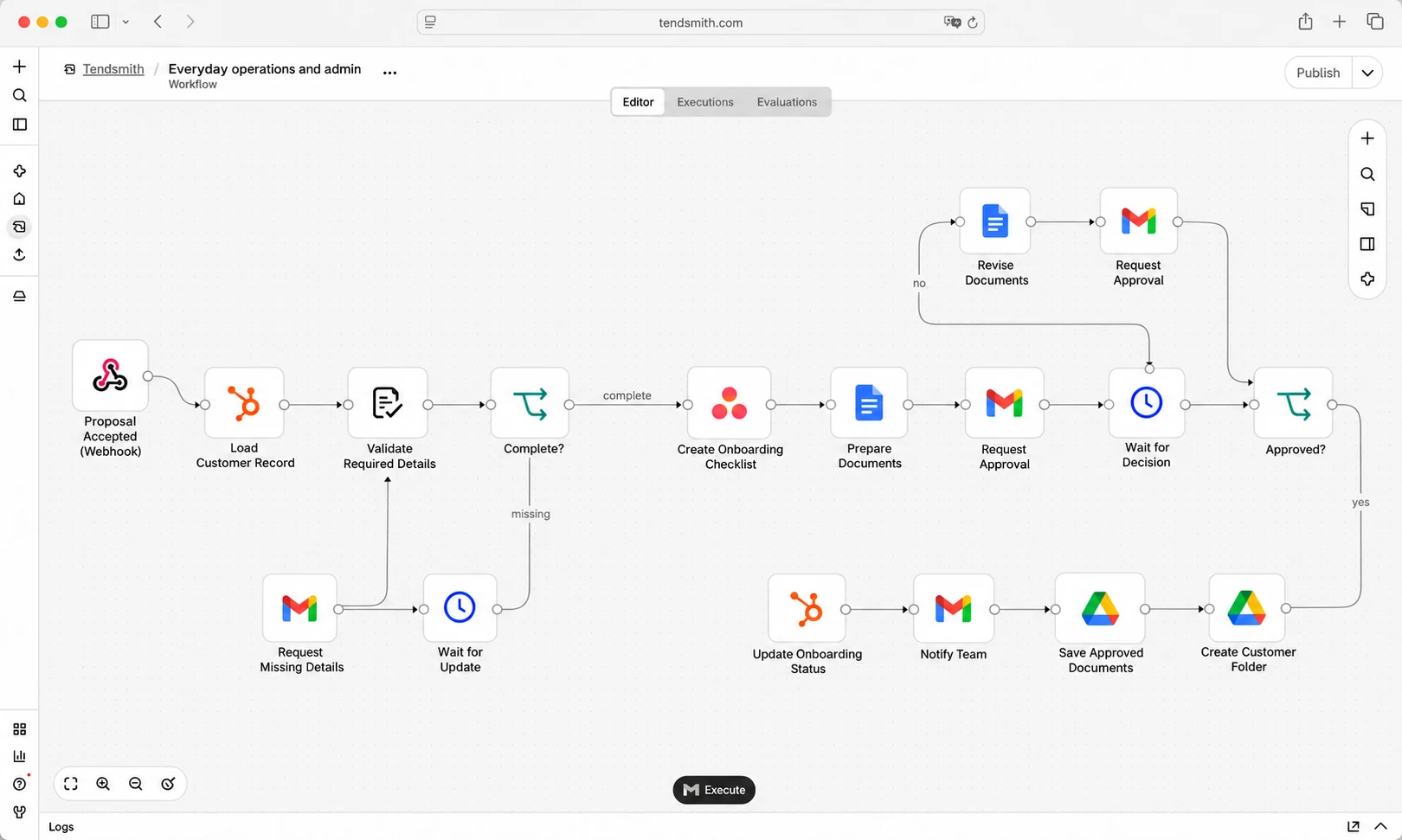
For example: When a proposal is accepted, the customer record is updated, onboarding tasks are created and the team receives the information needed to get started.

We check which tools can be connected and agree which record takes priority when information differs.

Discuss customer administration

Example workflow

  1. Proposal accepted
  2. Onboarding prepared
  3. Your team approves documents
  4. Approved files saved
Illustrative customer records and everyday admin workflow

Illustrative example. The steps and checks are agreed around your business.

03 / Quotes, invoices and payment reminders

Spend less time preparing paperwork and remembering to follow up.

Your business already holds much of the information needed for a quote or invoice. We help put it to use without someone copying it all over again.

Your team keeps control of prices, approvals and financial decisions.

What we can automate:

  • Prepare quote and invoice drafts from agreed information.
  • Send approved documents to the customer.
  • Follow up unanswered quotes.
  • Send payment reminders using agreed timings.
  • Update records when payment is confirmed.
  • Flag disputed invoices, unclear payments or missing details.

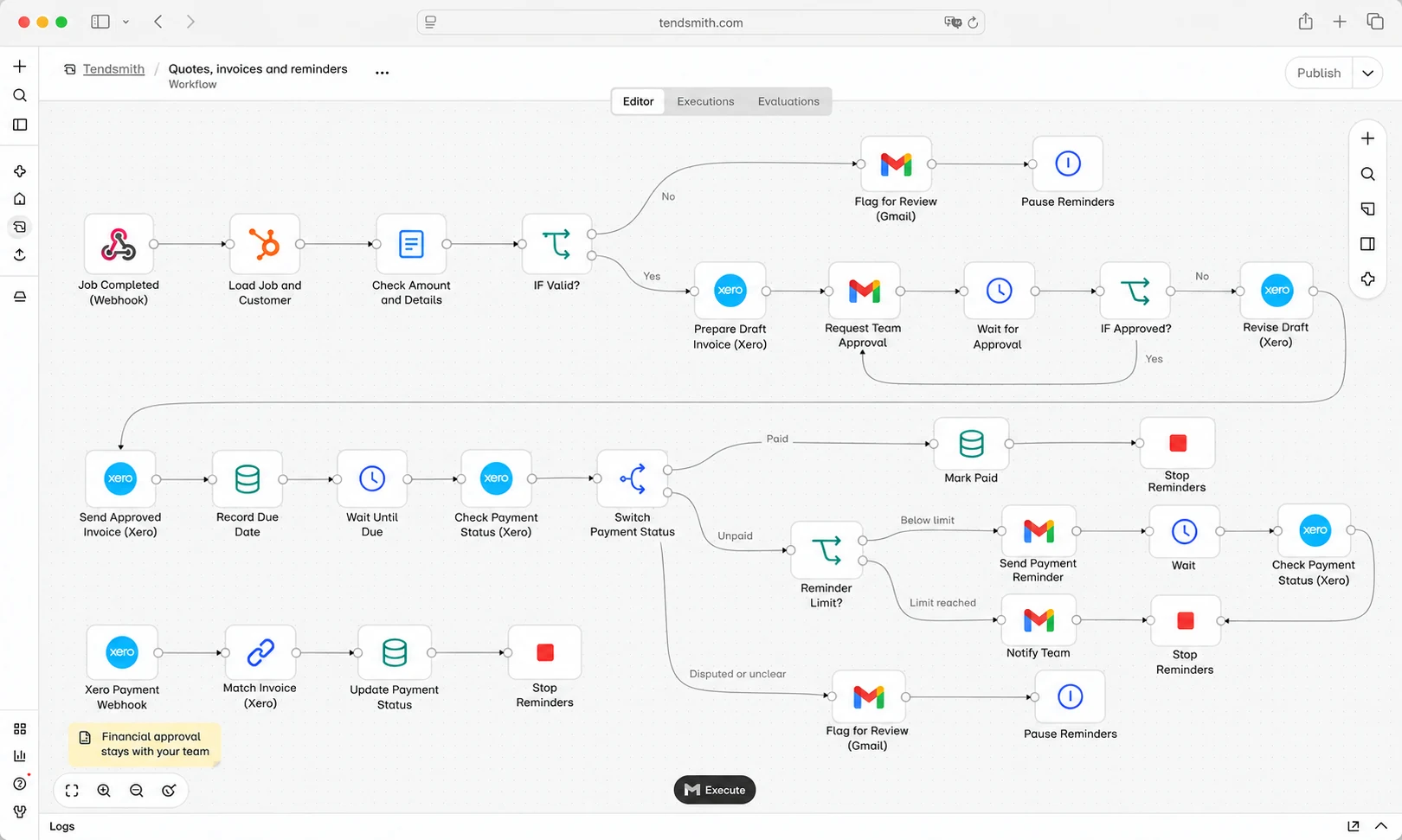
For example: Completed job details are used to prepare an invoice draft. Your team checks and approves it before sending. Payment reminders follow the agreed schedule and stop when payment is confirmed.

Automation does not authorise payments. Financial approvals stay with your team.

Discuss quotes and invoices

Example workflow

  1. Job details received
  2. Draft invoice prepared
  3. Your team approves
  4. Payment checked before reminders
Illustrative quotes, invoices and payment reminders workflow

Illustrative example. The steps and checks are agreed around your business.

04 / Customer messages and updates

Give the right person the information to respond.

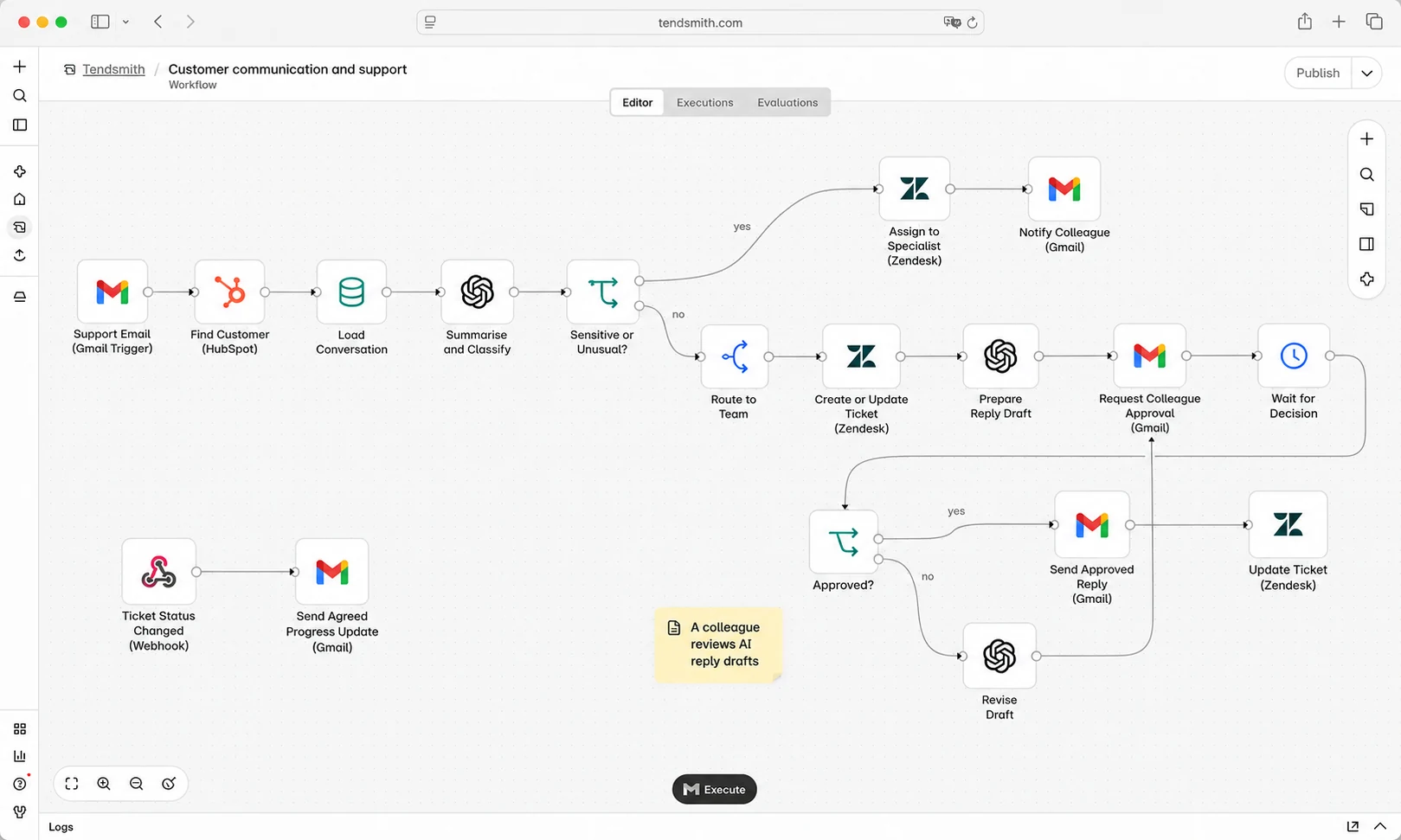
A customer message can create several jobs before anyone answers it: identify the customer, find their history, work out who should help and pass everything across.

We help handle that preparation so your team can focus on the response.

What we can automate:

  • Match messages to an existing customer record.
  • Route enquiries to the appropriate colleague.
  • Attach relevant customer information.
  • Prepare reply drafts for review.
  • Send agreed confirmations and progress updates.
  • Flag messages that need personal attention.

For example: A customer asks for an update. Their message reaches the colleague responsible, together with their record and recent correspondence. A draft response is prepared for that person to check.

We agree which messages can receive an automatic response and which must go to a person.

Discuss customer communication

Example workflow

  1. Message received
  2. Customer identified
  3. Reply prepared for review
  4. Your team approves and sends
Illustrative customer messages and updates workflow

Illustrative example. The steps and checks are agreed around your business.

05 / Reading documents and preparing information

Less time searching, reading and copying.

Some tasks involve more than moving information between tools. Someone needs to read a document, find the relevant details or summarise a conversation.

Where useful, we can include AI to help prepare that information, with checks and human review suited to the task.

What we can help with:

  • Extract agreed details from incoming documents.
  • Summarise customer correspondence.
  • Prepare draft replies from approved information.
  • Organise information for someone to review.
  • Flag missing details or items needing a closer look.

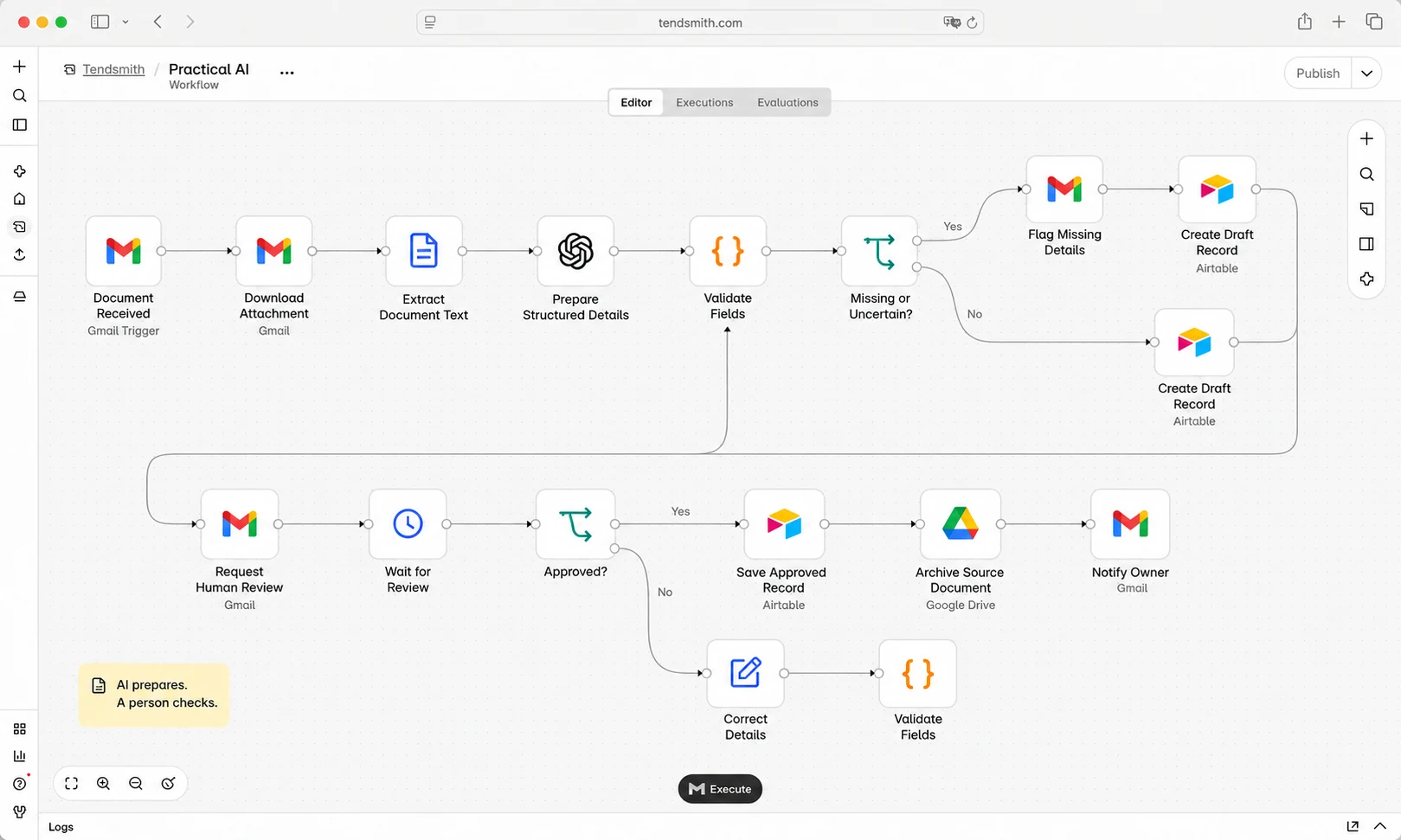
For example: A document arrives by email. The relevant details are extracted and prepared for review. A person checks them before the customer record is updated.

Not every automation needs AI. Straightforward tasks often work best with straightforward rules.

Discuss document and information tasks

Example workflow

  1. Document received
  2. Details prepared
  3. A person checks
  4. Approved record saved
Illustrative document intake and human review workflow

Already have automation that needs attention?

Let’s find out what’s going wrong.

Perhaps something has stopped working, needs constant checking or no longer fits how your business operates.

We can review existing automation, including work built by another provider, and explain what can reasonably be repaired or improved.

We start with what it should do, what happens instead and which tools it connects. Then we recommend the next step.

Some problems need a small repair. Others need part of the process rebuilt. We can’t guarantee that every existing build can be repaired or achieve the result you want.

Any paid review, repair or improvement is agreed before work begins. Ongoing management is subject to assessing the build.

Discuss an existing automation
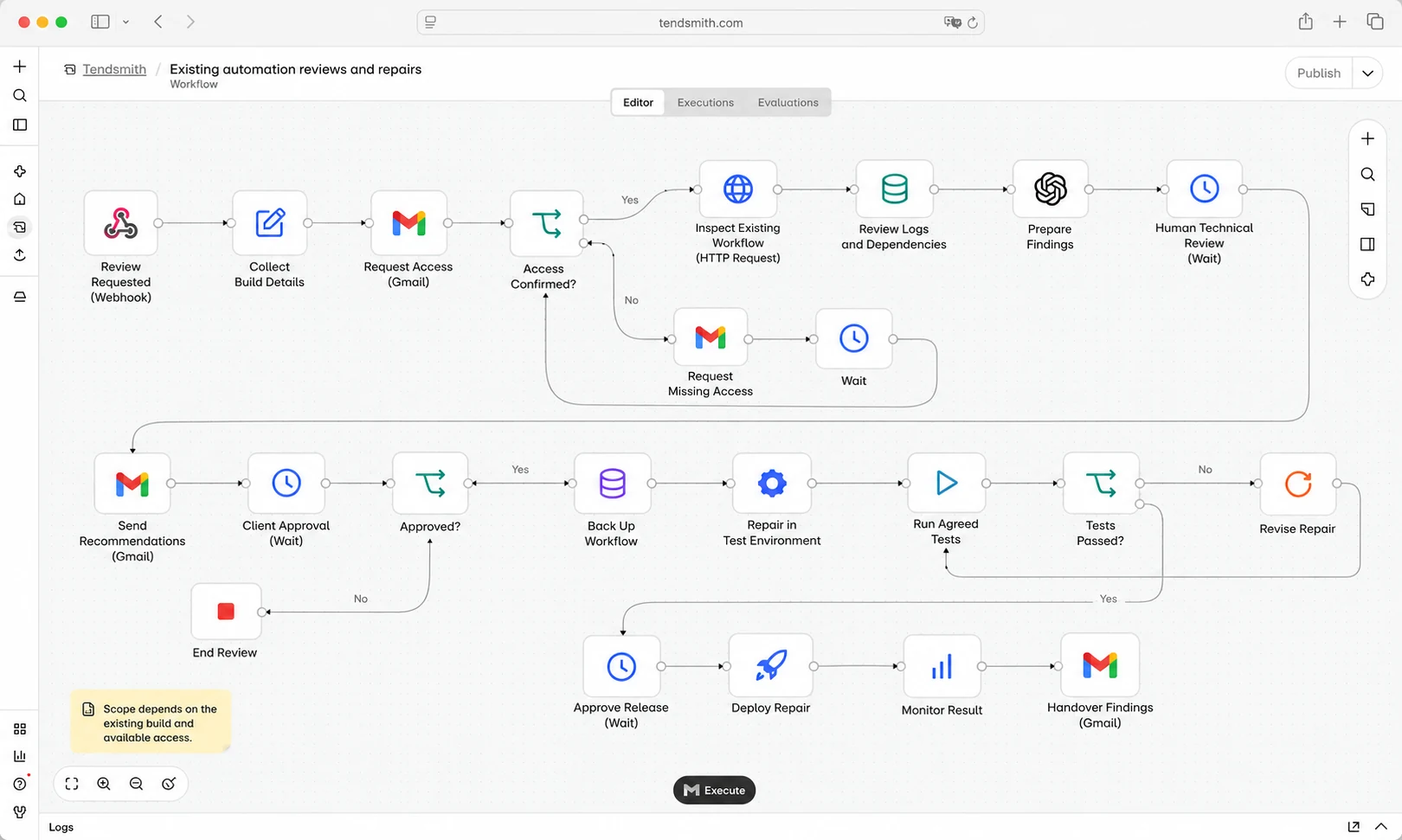
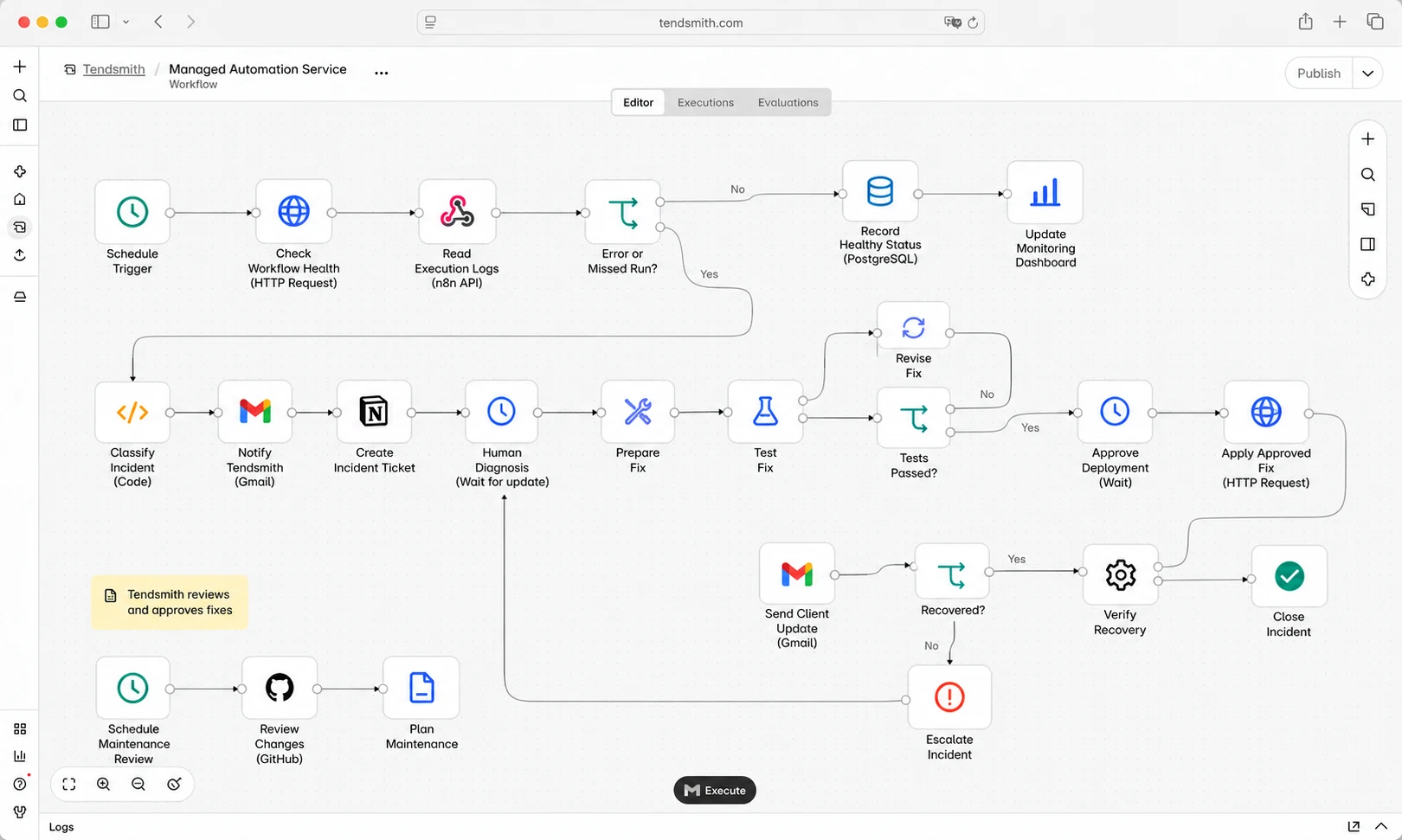
Illustrative existing automation review and repair process

Example workflow.

We build it. You choose how it’s looked after.

A bespoke build

We understand the task, check what your software supports and provide a fixed quote. Then we build and test the automation with you.

Nothing goes live until you accept it.

Explore bespoke builds

Optional ongoing care

Once it’s running, we can provide hosting, automated monitoring, maintenance and repairs under a managed plan.

Prefer a build-only handover? We agree the hosting, responsibilities and handover arrangements before starting.

Compare managed plans
Illustrative workflow monitoring and recovery process

Example workflow.

A few useful answers.

Do we need to replace our software?

We start with the tools you already use. Before quoting, we check what can be connected and whether your subscriptions support the connections needed. If something isn’t practical, we explain the alternatives.

Do we need to know exactly what we want?

No. Tell us what happens today, what takes time and where things get held up. We’ll help identify a sensible starting point.

Will it send messages or make changes without us checking?

Only where that has been agreed. You choose which steps happen automatically and which require approval. Those arrangements are tested before launch.

Does every automation use AI?

No. Many tasks follow clear rules and don’t need it. We use AI where interpreting or preparing information adds something useful, with appropriate checks.

How much does it cost?

Bespoke builds have a fixed quote after discovery. Ongoing managed care is optional and priced separately. Your proposal explains the build price and any separate software costs. If AI is part of a managed automation, reasonable routine processing is included; specialist services or additional usage are agreed before extra charges apply.

What if the task isn’t worth automating?

We’ll tell you. The first conversation looks at how often the task happens, the effort involved and whether a simpler change would solve the problem.

See build pricing and options →

Start with one job you’d like handled.

What gets copied twice? Which follow-up depends on someone remembering? What keeps your team checking the same inbox?

Tell us about it. We’ll help you work out whether automation could make a worthwhile difference.

No technical brief needed. No obligation.

Workflow illustration

Book a free 30-minute call